FREE PHOTO CROSS STITCH CONVERTER

Free Photo to Cross Stitch Pattern Converter

Turn your favorite photos into printable cross stitch patterns. Upload a picture, adjust the stitch count and DMC thread colors, reduce confetti stitches, and create a chart you can actually stitch—not only a pixel preview.

No sign-up. Your photos stay in your browser. Free PDF and PNG downloads.

Picture in.
Chart out.

CROP · MATCH · PRINT

Cross stitch image converter

PHOTO · PICTURE · PATTERN
Preparing the photo converter…

Your photos are processed locally in your browser and are not uploaded to our servers.

FOUR STEPS

How to Convert a Photo to a Cross Stitch Pattern

From upload to a chart you can print and stitch. Defaults are set for a workable first pass: 120 stitches wide, 24 DMC colors, 14-count sizing, confetti on, dithering off.

  1. 1

    Upload Your Photo

    Choose a JPG, PNG, or WebP under 15 MB, or try the sample. Crop to the subject, rotate if the camera orientation is wrong, and nudge brightness or contrast only when the image looks dull on screen.

  2. 2

    Adjust the Pattern Settings

    Set stitch width (height follows the crop). Pick a color limit and fabric count to see design size in inches or centimeters. The Color preview updates as you change settings—no separate generate step.

  3. 3

    Clean Up and Customize

    Review Symbols and Stitched views. Use confetti cleanup if the chart looks speckled. Prefer fewer colors before maxing cleanup strength. Open the chart in the pattern maker when a few stitches still need a hand edit.

  4. 4

    Download Your Pattern

    Export a printable PDF with stitch symbols and a DMC color key, grab a PNG preview, or keep editing on the same grid in the pattern studio.

START HERE, THEN TUNE

Customize Your Cross Stitch Pattern

Use these starting setups when you make a cross stitch pattern from a photo. They are practical defaults—not rules. Always judge the live preview before you buy fabric or floss.

Pet portrait

Setup
Crop tight to the face · 100–140 stitches wide · 16–24 colors · confetti Medium · dithering off
Why
Fur creates speckles. Medium cleanup softens noise while aiming to keep eye highlights.
Size check
On 14-count over one, 120 stitches is about 8.6 in wide before margins.
If it looks off
If the coat looks sandy, drop to 12–16 colors before raising confetti to Strong.

Person or face

Setup
Center-square or custom crop on eyes and mouth · 120–160 wide · 20–28 colors · confetti Light or Medium
Why
Likeness lives in small value shifts. Too few colors flatten skin; too many scatter freckle-like stitches.
Size check
On 14-count, 140 stitches is 10 in wide for the design only.
If it looks off
Check the Symbols preview on the eyes. Open in the pattern maker if one stitch still looks wrong.

Flower or still life

Setup
Full or custom crop · 80–120 wide · 12–20 colors · confetti Medium
Why
Large color blocks read well at modest stitch counts. Extra colors mostly add petal freckles.
Size check
On 14-count, 100 stitches is about 7.1 in across.
If it looks off
Raise contrast slightly if petals merge, then re-check confetti—not the other way around.

Illustration or logo

Setup
Crop out empty margins · 60–100 wide · 6–12 colors · confetti Light or Off
Why
Flat art already has clean edges. Aggressive cleanup can nibble corners and thin lines.
Size check
On 14-count, 80 stitches is about 5.7 in wide—handy for ornaments and patches.
If it looks off
Turn dithering off. Match brand colors in the editor after conversion if a DMC code is close but not exact.

Finished design size (inches) ≈ stitches ÷ fabric count when stitching over one on Aida. Add margin on every side before you cut. Need cut size? Use the fabric calculator.

FROM PICTURE TO NEEDLE

Turn Pictures into Printable Cross Stitch Patterns

A picture to cross stitch converter should do more than pixelate a photo. This one maps colors to DMC floss, builds a symbol chart that still reads in black and white, reduces scattered stitches, and shows finished size on common Aida counts before you commit.

Match Your Photo to DMC Thread Colors

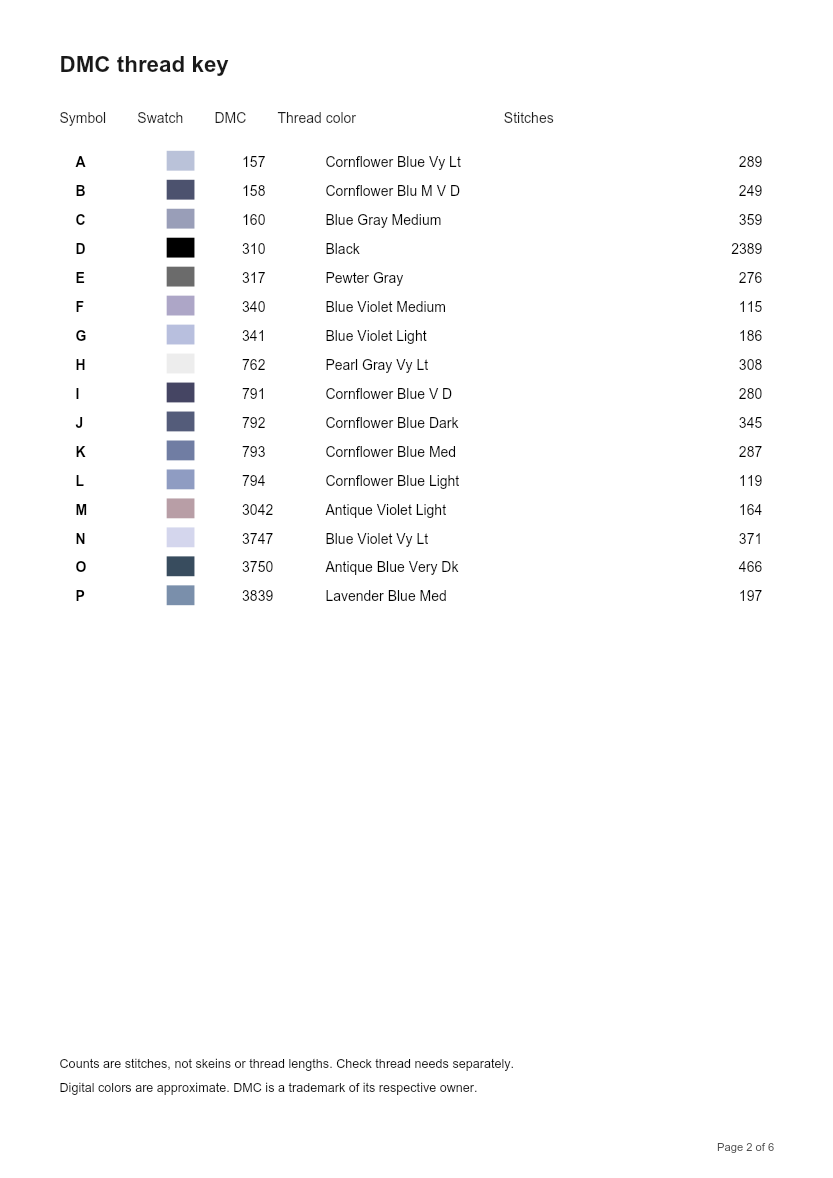
Photo colors are matched to DMC thread colors. The thread key lists each color’s code, name, symbol, and stitch count.

Colors on screen may differ from actual thread. Daylight, fabric white, and dye lots all shift how a code looks. Compare physical skeins under the light you will stitch in, especially on skin tones and near-neutrals.

Reduce Confetti Stitches

Confetti—tiny islands of one color—slows stitching and muddies the chart. Cleanup merges small same-color regions into neighboring colors. It tries to keep high-contrast single stitches (for example eye catchlights) on Light and Medium.

Start on Medium. Move to Light if a highlight disappears; use Strong on noisy phone photos. Turning dithering on can recreate confetti even after a cleanup pass—leave it off unless you are chasing a special gradient effect.

Make a Cross Stitch Pattern from a Photo

Width is in stitches; height follows the crop aspect. Pair width with fabric count for design size in inches or centimeters. When the preview looks right, download PDF or PNG, or send the grid to the cross stitch pattern maker for pencil, eraser, fill, and color replace.

Create patterns up to 300 × 300 stitches with up to 40 thread colors. That is enough for most hoop and frame projects without turning the chart into a multi-month commitment by accident.

REAL CONVERSION OUTPUT

Photo to Cross Stitch Examples

Same source photograph, same 80 × 80-stitch grid, dithering off—only the color limit changes. These examples were made with this converter.

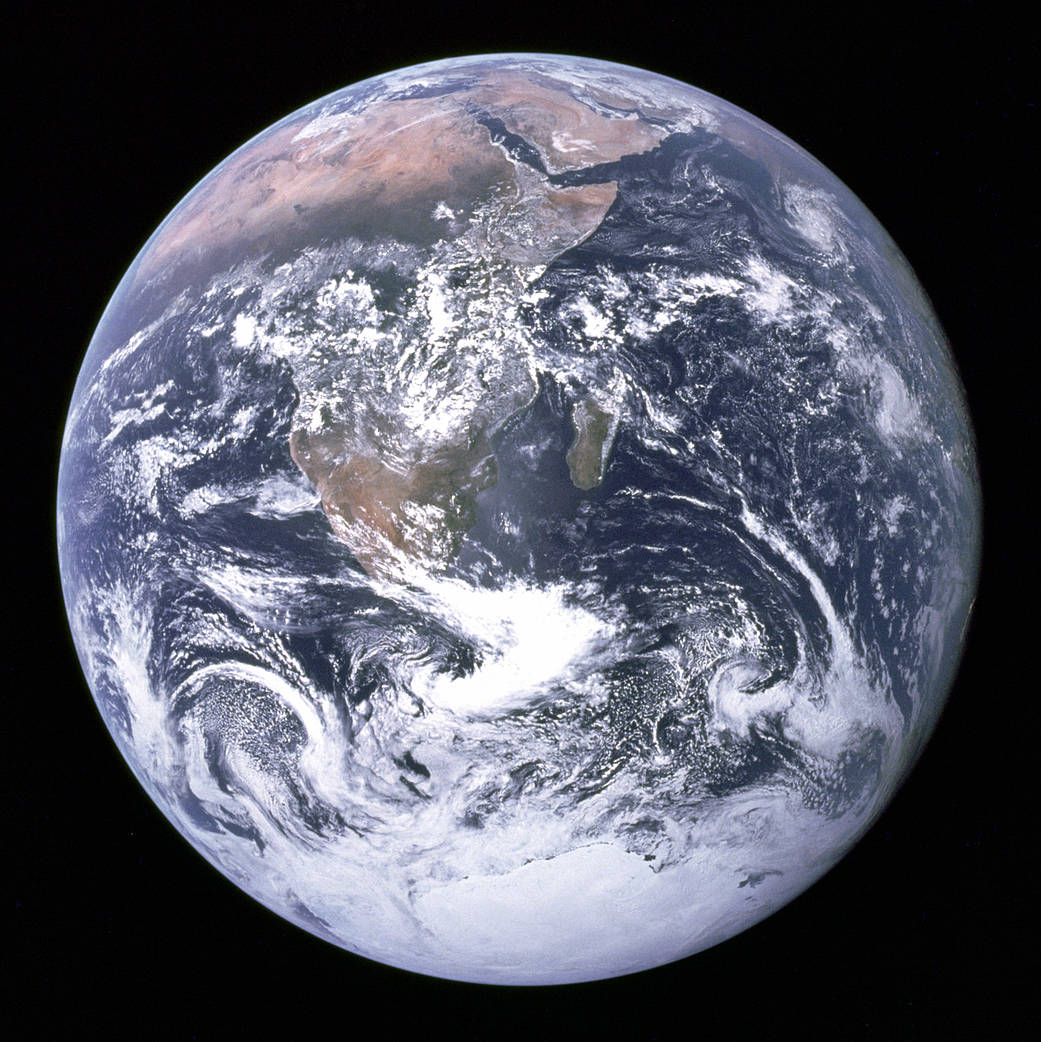
NASA Apollo 17 photograph of Earth used as a cross stitch conversion source

Original photograph

Clear subject, strong contrast, simple background—good photo-to-pattern material. The black space will be stitched unless you crop it away in the tool. Try the same image with Try a Sample Photo above.

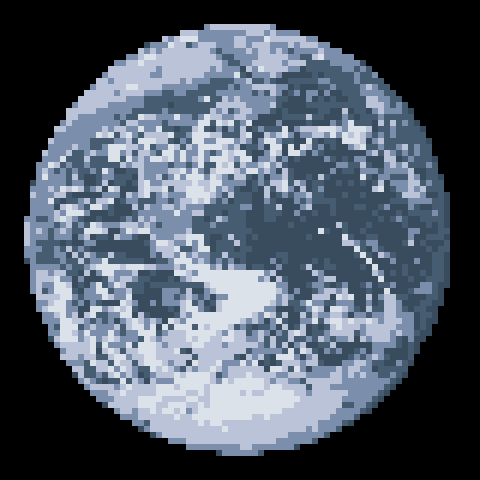
Earth as a 80 by 80 cross stitch pattern with 6 DMC colors

6 DMC colors

80 × 80 stitches · 6-color limit · 14 ct Aida · about 5.7 × 5.7 in design

Broader land and ocean blocks, shorter thread list, less cloud detail. Easier to stitch; likeness is simplified on purpose.

Download project file
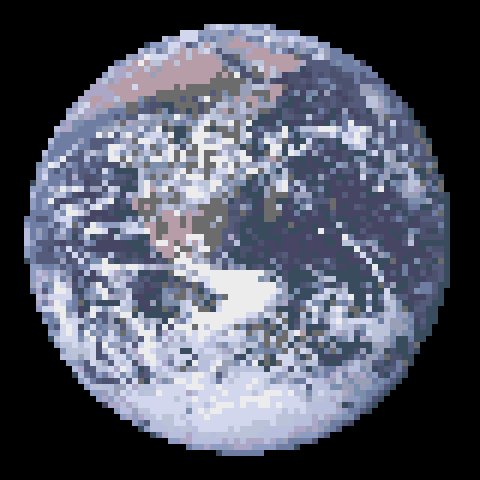
Earth as a 80 by 80 cross stitch pattern with 16 DMC colors

16 DMC colors

80 × 80 stitches · 20-color limit · 14 ct Aida · about 5.7 × 5.7 in design

More shading in clouds and coastlines. The 20-color limit produced 16 DMC codes here—close shades often share one floss. Still scan for confetti before a large print.

Download sample PDF

What this example teaches

Color limit changes the chart more than raw photo resolution. The 6-color and 16-color results share the same grid; only the number of colors changed. That is the trade-off you will make on portraits and pets too.

Photo: NASA / Apollo 17 Blue Marble. 80 × 80 stitches on 14-count is about 5.71 × 5.71 in for the design only.

BETTER INPUT, CLEANER CHART

How to Choose a Photo for Cross Stitch

Knowing how to turn a photo into a cross stitch pattern starts before upload. The stitch grid and color limit decide what survives—not megapixel count alone.

Crop first, enlarge second

Faces, pets, and flowers work better when background clutter is cut away. Empty sky, busy wallpaper, and half a sofa become hundreds of stitches you will not enjoy. Crop in the tool (full, center square, or custom edges), then raise stitch width only if the subject still looks blocky where it matters.

High resolution is not more stitches

Extra pixels do not appear on a 100-wide chart. Each square in the chart represents one stitch. A clean 1,200-pixel crop often converts better than a soft 6,000-pixel original full of noise. If detail is missing, add stitches or simplify colors—do not only re-export a larger JPEG.

More colors are not always better

Extra shades can mimic gradients and also plant confetti. Prefer fewer colors plus Medium confetti cleanup for a chart you will finish. Compare Color and Symbols previews: if symbols look like static, the color budget is too high for the grid.

Protect eyes and tiny highlights

Catchlights and whisker tips may be single stitches. Light or Medium cleanup tries to keep high-contrast isolates; Strong may absorb them. When likeness depends on one bright stitch, drop cleanup strength or fix that cell in the pattern maker after export.

Skip heavy filters when you can

Soft blur, heavy grain, and busy bokeh become muddy stitch soup. Even lighting and a plain backdrop beat dramatic processing. Brightness and contrast sliders here are for mild recovery, not Instagram restyles.

Plan the fabric while you preview

Design size on 14-count over one is stitches ÷ 14 in inches. A 120-wide chart is about 8.6 in across before margins. Switch the unit control in the tool, or open the fabric calculator with your final width and height when you are ready to cut.

BEFORE YOU THREAD THE NEEDLE

Frequently Asked Questions

Free conversion, photo size, color counts, DMC floss, pet photos, confetti, privacy, and printable PDFs.

How do I convert a photo to a cross stitch pattern?

Upload a JPG, PNG, or WebP (or try the sample). Crop and rotate if needed, set stitch width, color count, and fabric count, then review Color, Symbols, and Stitched previews. Download a printable PDF with a DMC key, or open the chart in the pattern editor. Everything runs in your browser—no account.

Can I turn a picture into a cross stitch pattern for free?

Yes. Upload, crop, rotation, brightness and contrast, DMC matching, confetti cleanup, live previews, PDF and PNG downloads, and Edit in Pattern Maker are free. Charts can be up to 300 × 300 stitches with up to 40 DMC colors. No payment wall on export.

What is the best photo size for a cross stitch pattern?

Sharpness helps, but stitch width matters more than megapixels. A 120-wide chart cannot hold every detail of a 4,000-pixel image. Start around 80–140 stitches for pets and portraits, crop to the subject, and raise width only when important areas still look blocky. Huge grids take longer to stitch and may not look sharper once colors are limited.

How many colors should I use for a photo cross stitch pattern?

Fewer colors mean larger areas and easier stitching. More colors keep subtle shading but add confetti and thread changes. Try 12–24 for most photos (default 24). If the Symbols view looks speckled, lower the color limit or raise confetti cleanup before you print.

Can I use DMC thread colors?

Yes. The converter matches photo colors to DMC floss. The key lists code, name, chart symbol, and stitch count. Screen swatches are approximate—compare them with physical thread under your project light before a large piece.

Can I create a cross stitch pattern from a pet photo?

Yes. Crop close to the face, simplify the background when you can, and give the eyes enough stitches. Confetti cleanup reduces fur speckles and tries to keep high-contrast singles such as catchlights. If fur stays noisy, try fewer colors or Medium cleanup. See the pet setup in Starting settings below.

Why does my converted pattern have scattered stitches?

Confetti—tiny islands of one color—comes from photo noise, dithering, or a high color limit. Keep dithering off (the default), lower colors, and use confetti cleanup. Strong merges larger speckles; Light is gentler on tiny highlights. The thread key shows how many isolated stitches remain.

Can I download a printable cross stitch PDF?

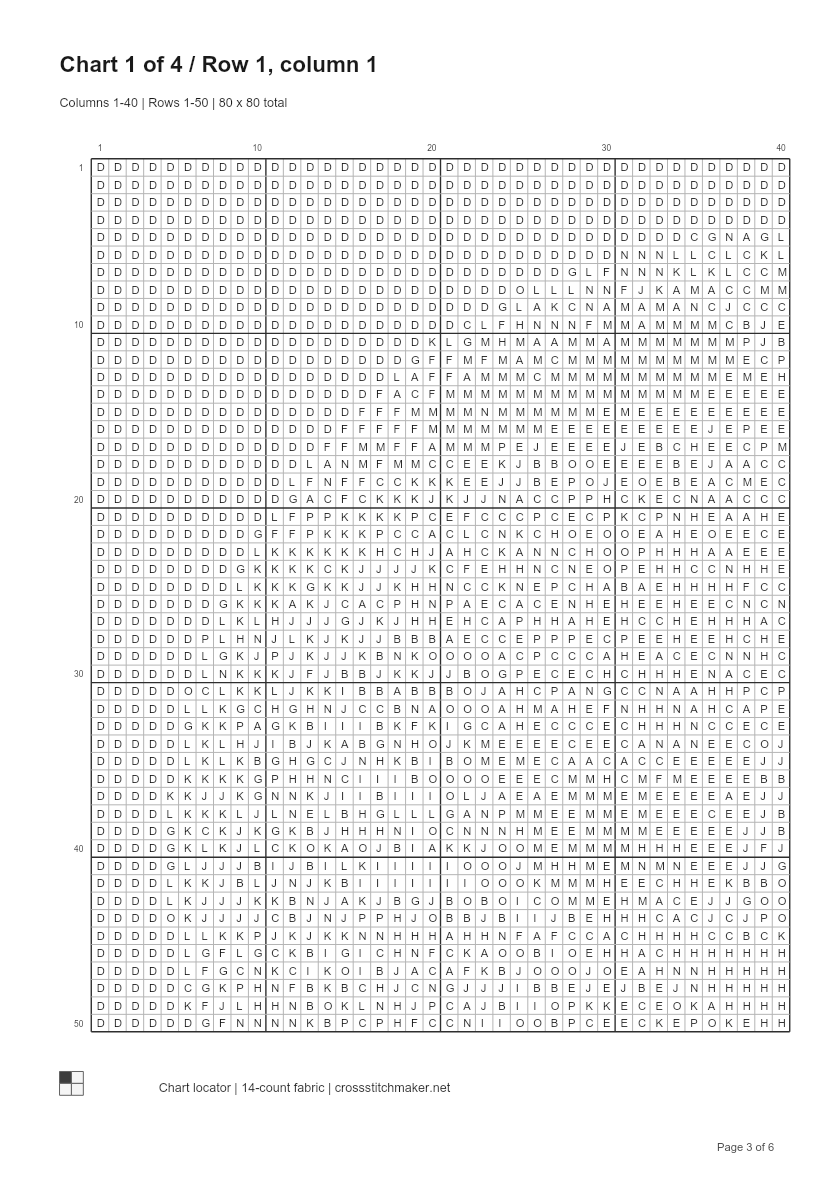
Yes. Each PDF has a pattern overview with fabric size, a DMC key (symbol, code, name, stitch count), and numbered black-and-white symbol pages with bold lines every 10 stitches plus a page locator. The Earth sample is 6 A4 pages. Print at 100% / actual size. PNG color previews are available too.

Is my uploaded photo stored on a server?

No. Photos are processed in your browser and are not uploaded to our servers. Closing the tab clears the working image. Edit in Pattern Maker can save the chart in this browser on your device.
A photo you love.
A chart you can stitch.

Back to the converter ↑