A LITTLE PATIENCE. A PATTERN THAT’S YOURS.

Free Cross Stitch
Pattern Maker

Create your own cross stitch patterns from a photo or a blank grid. Customize stitches, match DMC thread colors, and download printable charts—all in your browser.

No sign-up. Your photos stay in your browser.

From the first stitch
to the final chart.

DRAW · REFINE · PRINT

Create your own cross stitch pattern

YOUR NEXT PROJECT STARTS HERE
Preparing your stitch workspace…

FROM IDEA TO NEEDLE

How to make a
cross stitch pattern

Start small. Try a few colors. You can always undo.

  1. 1

    Start with a photo or blank grid

    Upload an image or create a new cross stitch chart from scratch. Choose the stitch count to suit your project.

  2. 2

    Customize your pattern

    Choose DMC thread colors, adjust individual stitches, and replace colors across your design. Pencil, eraser and fill keep editing simple.

  3. 3

    Download your cross stitch chart

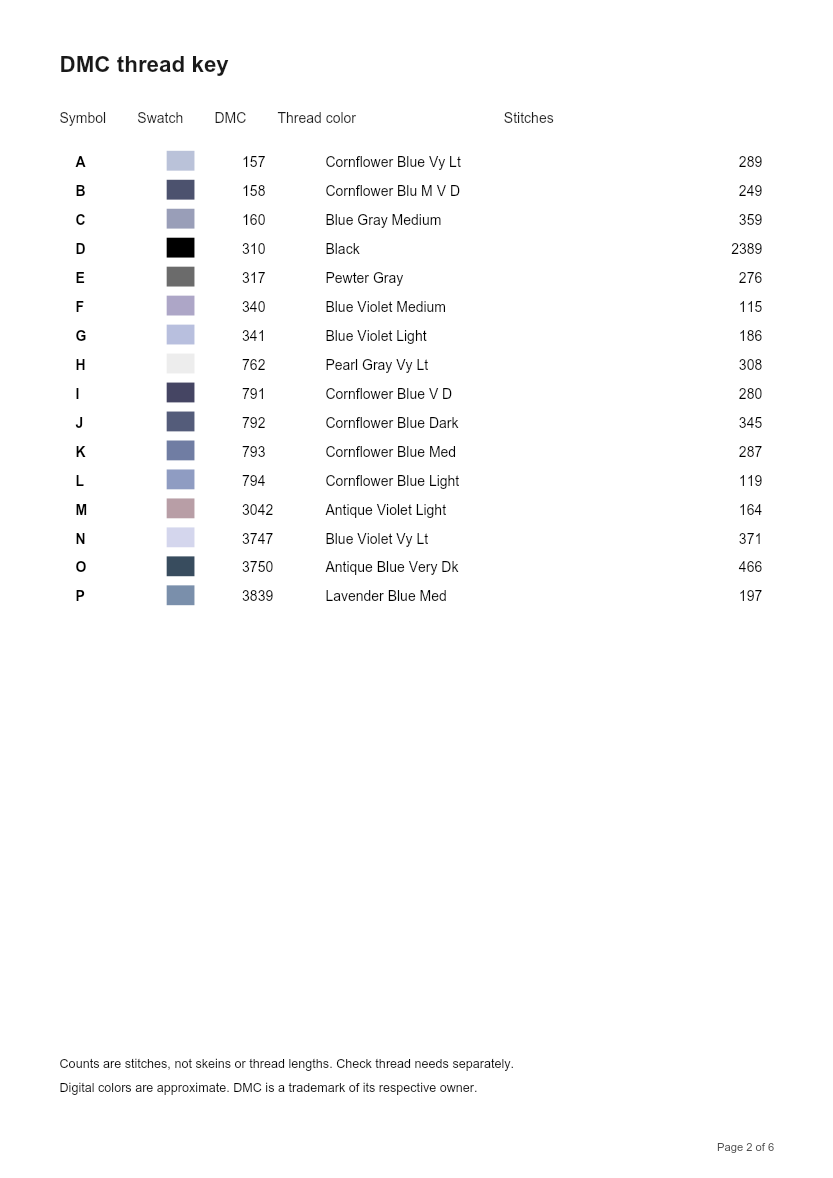
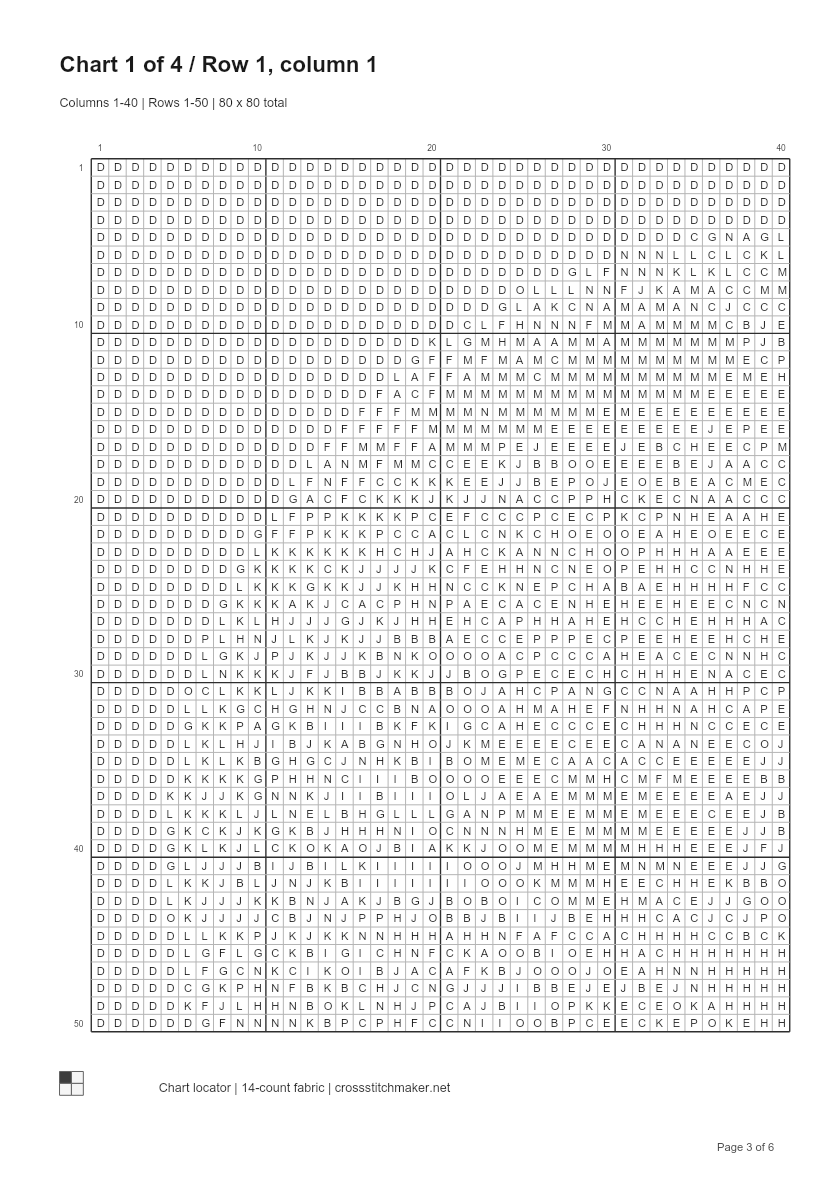
    Download a printable PDF with stitch symbols, a DMC color key and numbered chart pages. Keep a PNG for a quick preview.

THE SAME PHOTO, DIFFERENT CHOICES

See a photo become a cross stitch pattern

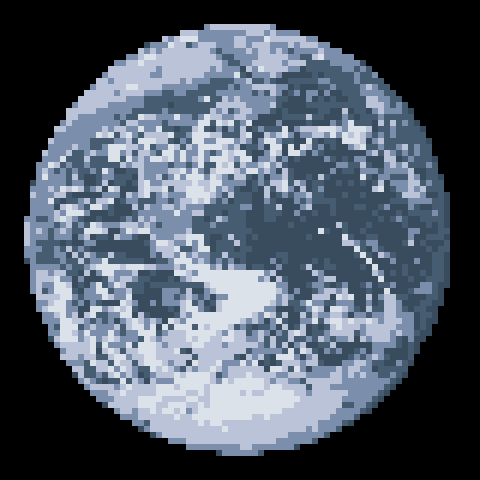
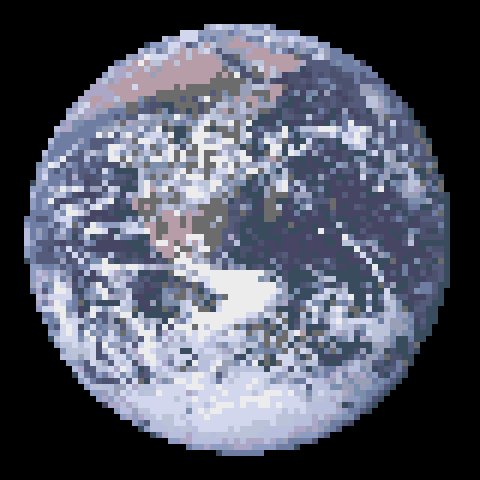
Both results use the same 80 × 80-stitch grid, the whole image and dithering turned off. Only the color limit changes.

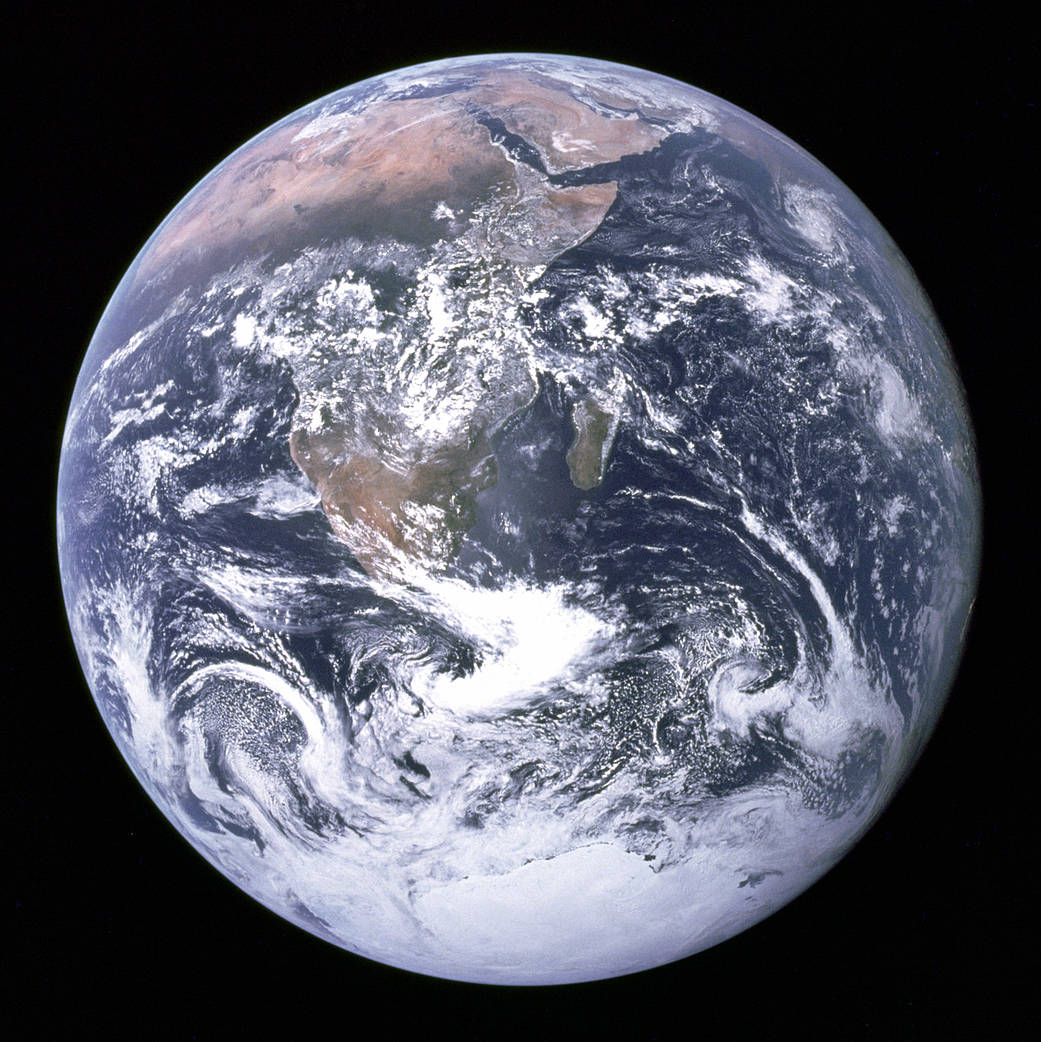
NASA Apollo 17 photograph of Earth, with Africa and white clouds against black space

Original photograph

A clear subject with a plain background. The black background will be stitched too; this tool does not remove it automatically.

Earth converted to an 80 by 80 cross stitch pattern using 6 DMC colors

6 DMC colors

80 × 80 stitches · 6-color limit

Broader color areas, with less variation in the clouds and land. A smaller palette still needs stitch-by-stitch review.

Download this project
Earth converted to an 80 by 80 cross stitch pattern using 16 DMC colors

16 DMC colors

80 × 80 stitches · 20-color limit

More shades in the clouds and land, but more threads to manage. The 20-color limit uses 16 thread colors here: some shades are close enough to share a DMC color.

Download this project

Photo: NASA / Apollo 17 Blue Marble.

To edit a sample, download its project file, then choose Open project in the pattern studio. Your current pattern is not replaced by downloading it.

BEFORE YOU START STITCHING

Check the size. Keep a copy.

Grid size is not fabric size

For stitching over one square on Aida, divide the stitch count by the fabric count to get inches. An 80 × 80 pattern on 14-count Aida measures about 5.71 × 5.71 inches (14.51 × 14.51 cm), before margins.

Allow extra fabric on every side for your hoop, finishing or framing. If you stitch over two threads on evenweave, use half the fabric count for the size calculation.

Use the cross stitch fabric calculator to check your finished size and add margins before cutting fabric.

Stitch counts are not a shopping list

The thread key counts stitches in each DMC color. It does not calculate skeins or thread length: fabric count, strands, stitching method and waste all affect how much you need.

Screen colors are approximate. Check physical thread colors before buying, and review scattered single stitches before you begin.

A saved pattern is not a saved photo

Your last pattern is saved automatically in this browser when your browser settings allow it. Your original photo and the settings you used to turn it into a pattern are not saved, so keep a separate copy of your photo.

To continue editing later or on another device, choose Save project file, then use Open project to open it again. Keep this file as well as your PDF or PNG, which are for printing or viewing. Clearing browser data can erase your saved pattern.

BEFORE YOU THREAD THE NEEDLE

Frequently
asked questions

New to making charts? The conversion examples show what a color limit changes. Check the size and saving notes before starting a project.

Is this cross stitch pattern maker free?

Yes. Blank grids, photo conversion, DMC thread matching, stitch editing, and PDF and PNG downloads are free. No account or payment is needed. Patterns can be up to 300 × 300 stitches with up to 40 colors.

How do I make my own cross stitch pattern?

Create a blank grid with your preferred width and height, then choose a DMC color and draw with the pencil. Use the eraser and fill tools to refine your design. You can also start from a photo and edit the converted result.

Can I turn a photo into a cross stitch pattern?

Yes. Choose a PNG, JPG or WebP photo, set the pattern width and maximum number of colors, and generate your pattern. The original aspect ratio is kept unless you choose a center square crop. Fewer colors and dithering turned off can make the result easier to stitch.

Does the pattern maker use DMC thread colors?

Yes. Your photo’s colors are matched to DMC thread colors, and each color in your chart includes its DMC code. You can choose or replace colors as you edit. Screen colors are approximate: compare them with physical thread before starting your project.

Can I download a printable cross stitch pattern?

Yes. Download a PDF with a pattern overview, stitch dimensions, a symbol key, DMC codes, stitch counts and numbered chart pages. The black-and-white symbol charts have bold lines every 10 stitches and a small page map to help you follow the chart. You can also download a PNG preview or a project file to edit later.

A few colors. A little time.
Something only you could make.

Back to the pattern studio ↑

Allow optional Google Analytics for this visit? We record tool actions, not your photos or pattern content.